The Sticky Notes alternative with tasks and reminders
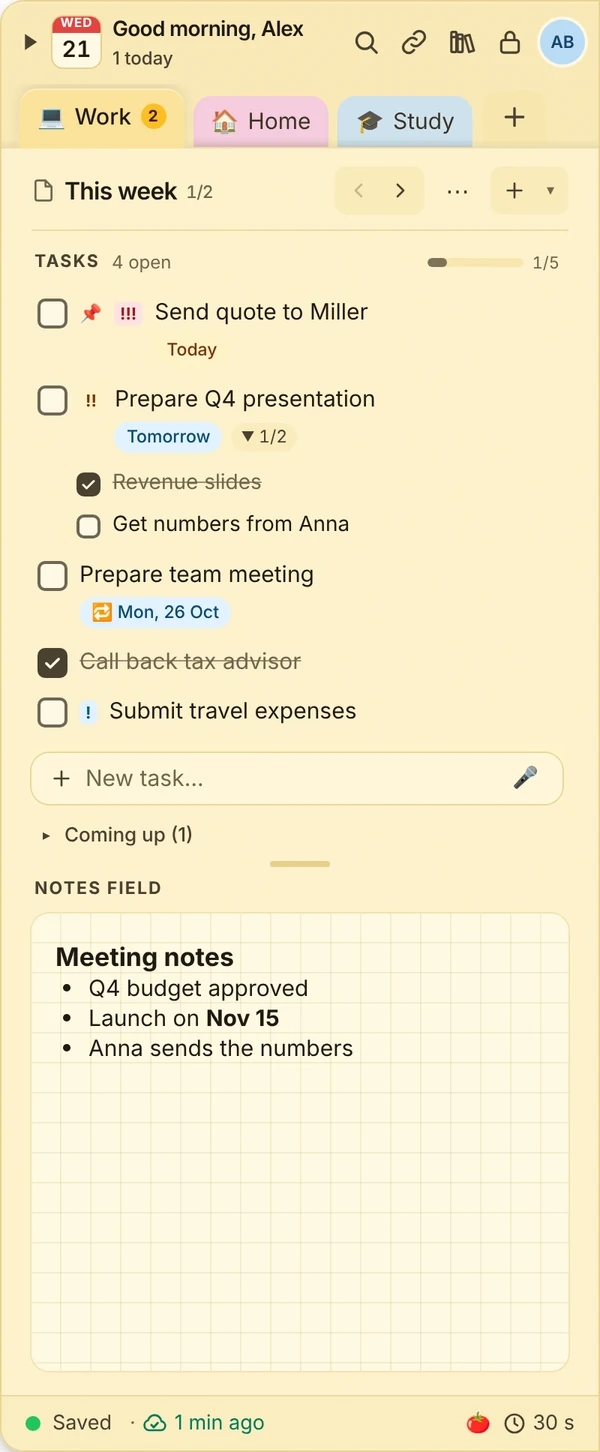
Windows Sticky Notes are handy but quickly get messy. JP Note keeps notes, to-dos and dates in one dock at the edge of your screen. One key brings it up, then it hides again.
- ✓ Free
- ✓ No account
- ✓ Windows · Mac · Linux
- ✓ Pro €9.99 once
In short
- Notes become tasks with dates and reminders
- Everything sits in one dock at the edge instead of scattered across the desktop
- You can still pull single notes out as sticky notes
JP Note fits you if
- you have lots of small notes open and lose track
- you want to be reminded at the right time
- you need your notes on your phone too
Loose notes turn into one list
This is what many desktops look like. Press the button and watch JP Note turn it into one list with dates.
Why many people look for an alternative
Windows Sticky Notes open fast and are perfect for quick thoughts. Once notes turn into tasks with a date, the overview often gets lost: what is due today, what can wait, what will you be reminded of?
JP Note is made for this. It opens as quickly as a sticky note, but sorts everything into notes and pages and keeps track of when something is due.
Type a task the way you would say it
JP Note picks up the date, time and repeat and shows them before saving. Try one of the examples or type your own.
Simplified preview. The app understands more, for example “by 31 Oct” or “every 2 weeks”.
What JP Note adds
0 of 6 ticked off- Tasks with due dates and remindersToday, tomorrow or with a time, overdue items are marked red.
- Write like you talk“Dentist tomorrow 2pm” becomes a task with date and time.
- Torn-off notesPut a note on your desktop as its own window, just like a sticky note.
- Rich notesHeadings, checklists, tables and images.
- Week agendaAll dates and due tasks at a glance.
- Dock at the edgeHides when you don’t need it. Alt+N brings it back.
How to switch
- 1Download and install JP Note for free.
- 2Copy the text of your notes and add it under Settings, Data with “Paste text”. Lines with checkboxes or bullets become tasks.
- 3Add a date to what matters. From then on JP Note reminds you.
What this looks like day to day
- Customer callback noted, remind me tomorrow at 9
- Shopping list placed as a note next to the window
- Reminder pops up, callback ticked off
- Shopping list on the phone in the supermarket

Frequently asked questions
Is JP Note free?
Yes. The free version stays free forever, without ads and without an account. Pro costs €9.99 once and can be tried for 7 days first.
Does JP Note run on Windows 11 and Windows 10?
Yes, and also on macOS, Linux and ChromeOS. With Pro you also get the phone app for Android and iPhone.
Can I put notes on the desktop like sticky notes?
Yes. Drag a note down out of the notes bar and it becomes its own note on your desktop. The free version allows one, Pro as many as you like.
Can I bring over my Sticky Notes?
Copy the text and add it under Settings, Data with “Paste text”. Lists with checkboxes or bullets become tasks.
Related
Microsoft Sticky Notes (Haftnotizen): trademarks of their respective owners. JP Note is not affiliated with them. Information about other apps to the best of our knowledge, as of October 2026.