Your notepad at the edge of your screen.
Tasks, notes and dates in one dock that appears with Alt+N and disappears again when you get back to work. It reminds you on time and syncs encrypted with your laptop and phone.
📱 JP Note is made for your PC or Mac. On the go you use the phone app or the web app in your browser, both with sync.
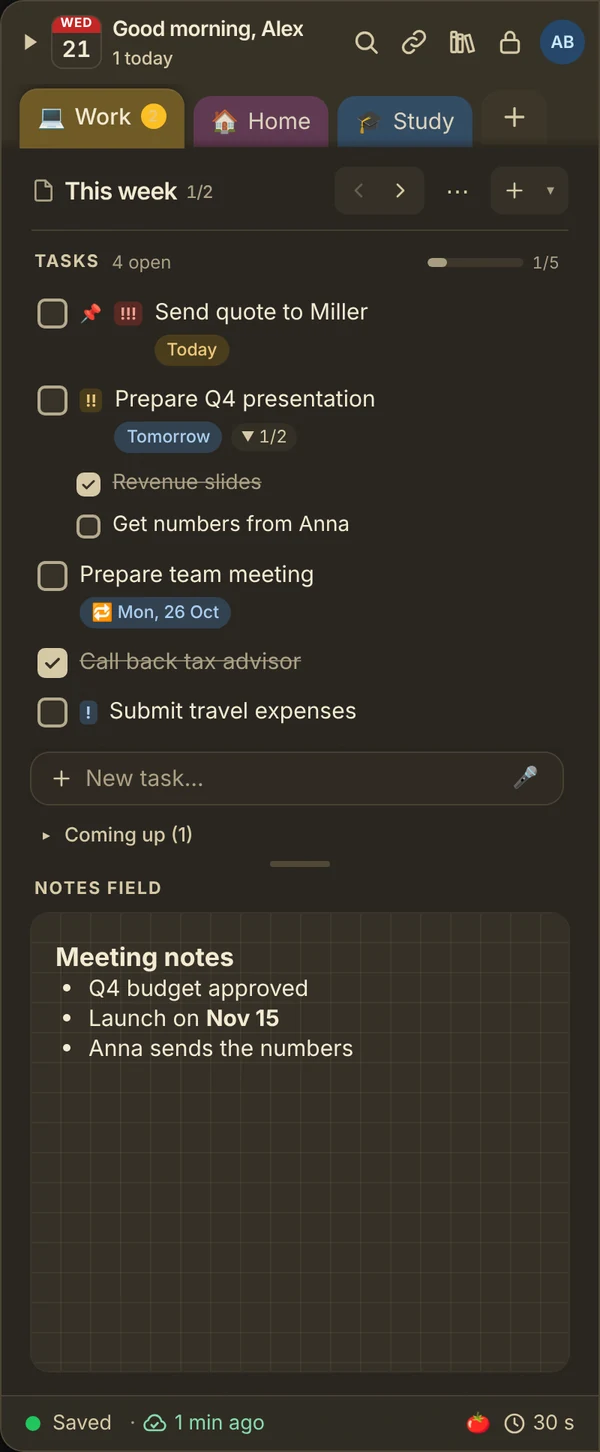
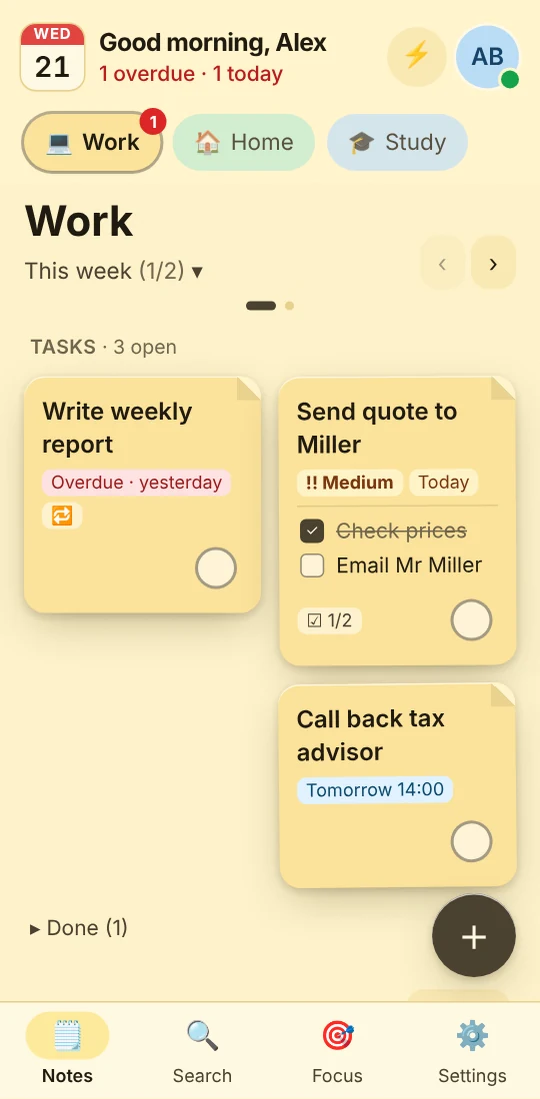

Try the dock right here in your browser
Tick something off, add a task with a date or drag a note out of the dock.
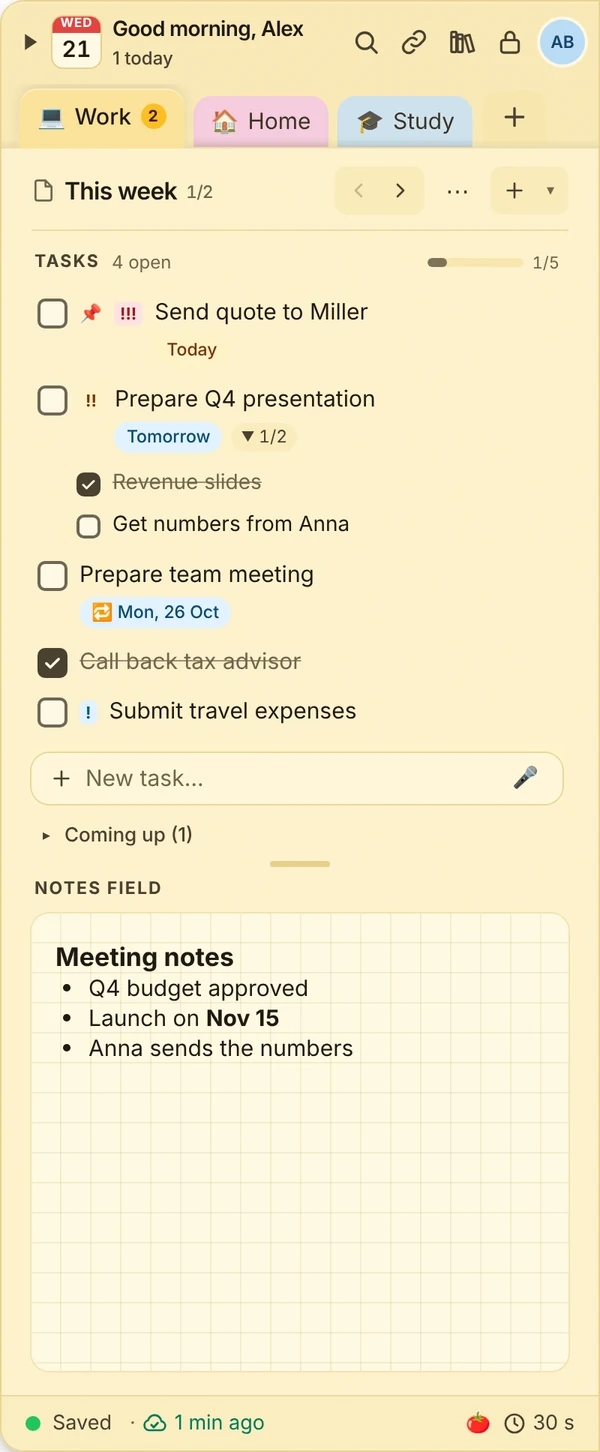
Tip: tick off “Team meeting”. It comes back next week by itself.
One JP Note, three views
Small at the edge for a quick thought, large for a long working day, in the browser on the go. Your notes stay the same everywhere.


Small, quick, always there
Press Alt+N to pull the dock from the edge of your screen, jot something down and carry on. It folds away by itself and stays ready above every window.
Shortcut of your choice, left or right, on any monitor.Room for long sessions
One click on maximize turns the dock into a large window. All notes on the left, then the pages of the note, tasks and notes field. Shrink it or close the window and it is back at the edge.
Also switchable in the settings and from the tray icon.No install, on any device
At app.jpnote.de JP Note runs in your browser, on a laptop, tablet or phone. With your account you see the same notes, end-to-end encrypted as everywhere else.
Open the web app With an account, during the trial and with Pro.
Set up recurring tasks just once
Water the plants, pay the rent, send the weekly report: you set once how often it is due. When you tick the task off, it waits under “Coming up” and returns to the list on the day, marked “back again”. JP Note reminds you again then.
- Due
- Today, tomorrow, next week or a date with time. Overdue turns red.
- Reminder
- As a notification on your PC and a push on your phone, even when the app is closed.
- Repeat
- Daily, weekdays, weekly on chosen days, every 2 weeks, monthly, at the end of the month or yearly.
- Overview
- All dates of the week or month at a glance.
Work without distractions using the focus timer
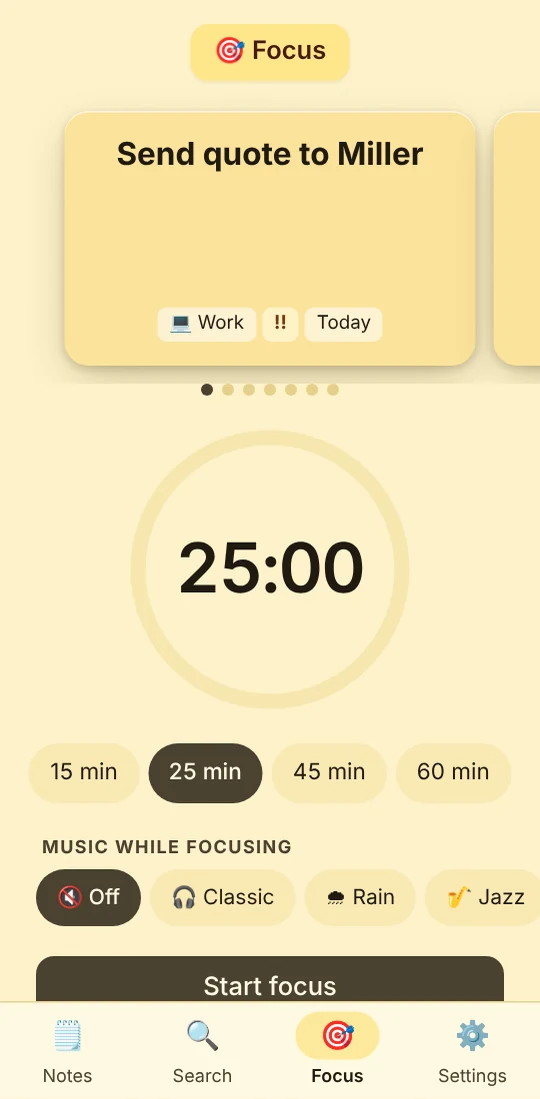
You pick a task and start, say, 25 minutes. While the timer runs, JP Note shows only that one task and holds back reminders. Afterwards you see how much you got done.
- Pomodoro with breaks, or 15, 45 and 60 minutes
- Mini timer at the screen edge and zen mode
- “Do not disturb”: reminders wait
- Sound and notification on PC and phone
- Stats: rounds and minutes per day
- Zen garden: a plant grows with every round. More





Time-lapse: 1 minute = 1 second · 🍅 below opens the start menu
What happens after the timer
Every round a tree. Every month a garden.
While the timer runs, a plant grows along. Once the round is done, it gets its spot in the garden of the month. Over time a lantern, a bridge and a tea house appear. You can share the garden as an image, for example on WhatsApp, Instagram or TikTok.

- 60
- spots in every garden
- 13
- structures appear step by step
- 4
- seasons that follow the calendar
Your notes on your phone too
What you note on your PC is on your phone seconds later. You install the phone app straight from the browser, no app store needed.
- Push reminders
- Add tasks by voice
- App lock with Face ID or fingerprint
- Focus timer with a sound when time is up
What else JP Note can do
- Quick capture Alt+Shift+N from any app, type, Enter, back to work.
- Tear off a note Drag a note out of the dock and keep it as its own note next to your work.
- Quick access Phone numbers, IBANs, addresses, links and folders. One click copies or opens.
- Images and files Paste a screenshot with Ctrl+V, attachments up to 25 MB.
- Subtasks and priorities Break big things into steps, pin what matters.
- Focus timer 25 minutes on one task, reminders wait until you are done.
- Calendar export Dates to Outlook, Apple or Google Calendar in one click.
- Subtle sounds A soft pencil tick when you finish a task, can be switched off.
- Archive instead of delete Tidy up done items and still find them later.
- Templates Create the packing list or month-end routine once.
- Protected notes With a PIN, Windows Hello or Touch ID.
- Paper styles and night paper Kraft paper, clear or sage, plus a dark theme for the evening.
- Backups Automatic every day, export as Markdown.
- Share notes Beta Keep notes and tasks together.
- Reference manager Sources via DOI, quotes with page, APA style, Zotero and Citavi. Take a look
- Password note Wi-Fi, router, university portal: stored protected, copied with one click. Take a look
Pricing
Free on one device. Buy Pro once and keep it.
Free
- 2 notes with 3 pages each
- Tasks, notes, reminders
- Dock, hotkey, quick capture
- Export any time
Pro
- Everything unlimited: notes, pages, tear-off notes
- Sync on up to 3 devices, end-to-end encrypted
- Phone app with push reminders
- Images, attachments, archive, text in images
- Focus timer with zen garden and 6 trees
- Recurring tasks and monthly agenda
- Templates, paper styles, night paper, voice input
- Copy fields and reference manager
- Share notes Beta
- Read link and sign-up list, one link a month
- 🎁 As a thank you: one design from the points shop for free
Try it first? Free for 7 days
Subscription with more power
- All Pro features
- Sync on up to 10 devices*, 10 GB of storage
- 10 shared notes with up to 10 people
- 20 read links and 5 sign-up lists, up to 90 days
- One year of history and a daily cloud backup
- 10 GB of storage and attachments up to 95 MB
- Recognise text in images, no limit
- Monthly review and every earlier week
- ✉️ New: forward emails to JP Note, turn them into tasks or pages
- 50 points a month from the second payment
- 🎁 As a thank you for your first subscription: a surprise pack from the points shop
- Cancel any time to the end of the period
* Need more devices? Write to us and we will find a solution that fits you.
Here on the website or in the app under Settings → Account & plan. You keep your Pro licence.
All prices are final prices. No VAT is charged under the German small business rule (§ 19 UStG). For teams and companies: get in touch.
Notes with personality
Put stickers between your thoughts and use washi tape as a heading or divider. Plus colours, papers and check-off effects from the points shop.
- 48 stickers in eight packs, the basics pack is included
- 14 washi tapes, kraft paper and stripes are included
- On your PC and in the web app, via 🏷 in the toolbar
- More packs in the points shop, paid with points only


Frequently asked questions
The most important questions, answered briefly.
Can anyone else read my notes?
No. As soon as you use sync, your content is encrypted on your device with your password. The server only stores encrypted data, we cannot read it either. So keep your password and recovery key safe.
What happens after the 7-day trial?
You keep using JP Note for free. Anything beyond the limits of the free version is locked, but never deleted. After purchase, everything is back instantly.
What do I get with the one-time purchase?
Pro for one person, with no time limit: all Pro features, sync on up to 3 devices with 2 GB of storage, and all bug fixes and security updates. Some new features may later only come with a subscription.
Which devices does JP Note run on?
Windows 10 and 11, macOS (Apple silicon and Intel), Linux and ChromeOS. Plus the phone app for Android and iPhone and the web app, which runs in any browser.
Do I need an account?
Not for use on one device. For the trial, sync and the phone app you create an account with your email address.
Does JP Note work offline?
Yes. Everything is saved on your device first. Once you are back online, JP Note syncs the changes with your other devices.
Can I take my data with me?
Any time, even in the free version: as a JP Note file or as Markdown. Plus automatic daily backups.
All questions and answers are under Help. Your question is not here? Write to us.