Every JP Note feature at a glance
To-do list, notepad and agenda in one dock at the edge of your screen. Every feature shows whether it is free or part of Pro. What the subscription adds is listed at the end.
- What is due todayCalendar leaf, greeting and open dates
- Notes for work, home and studyEach note has its own pages
- Tasks with due datesToday, tomorrow or with a time
- RepeatsDaily, weekly, monthly or yearly
- Coming upTicked-off repeats wait here until their next date
- Notes below the listWith lists, tables and images
- Saved and syncedEncrypted with laptop and phone
- Focus timerWith zen garden and lo-fi music if you like
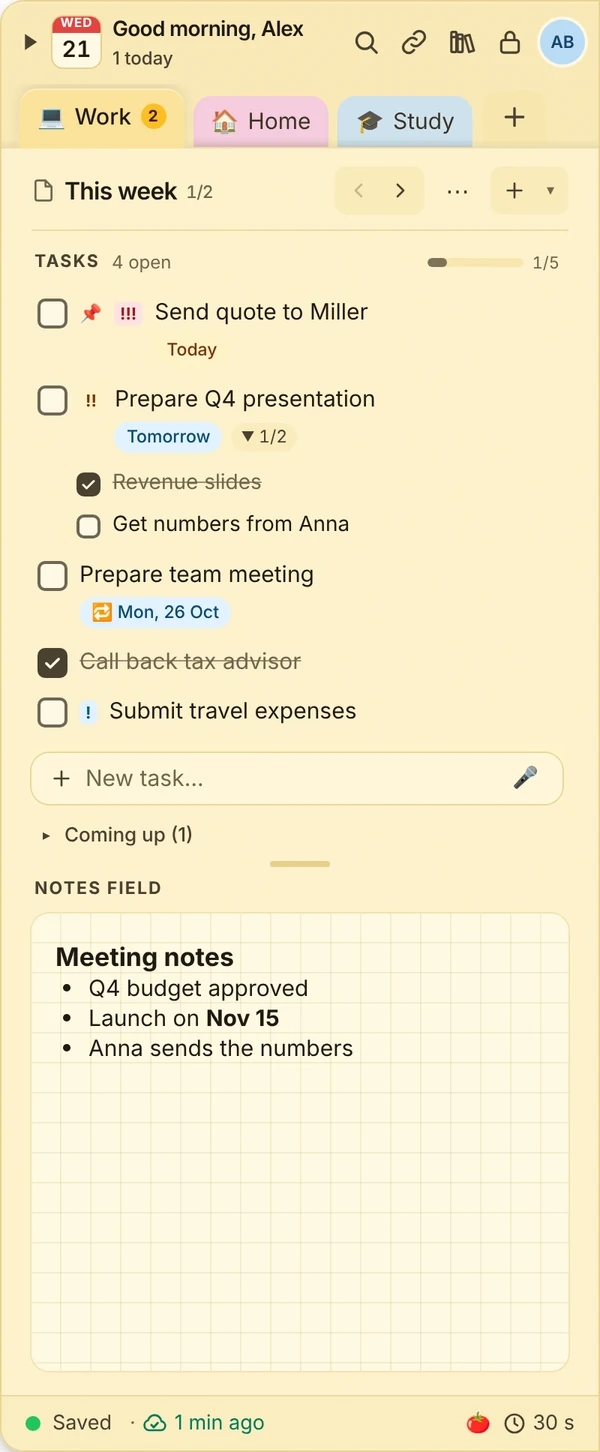
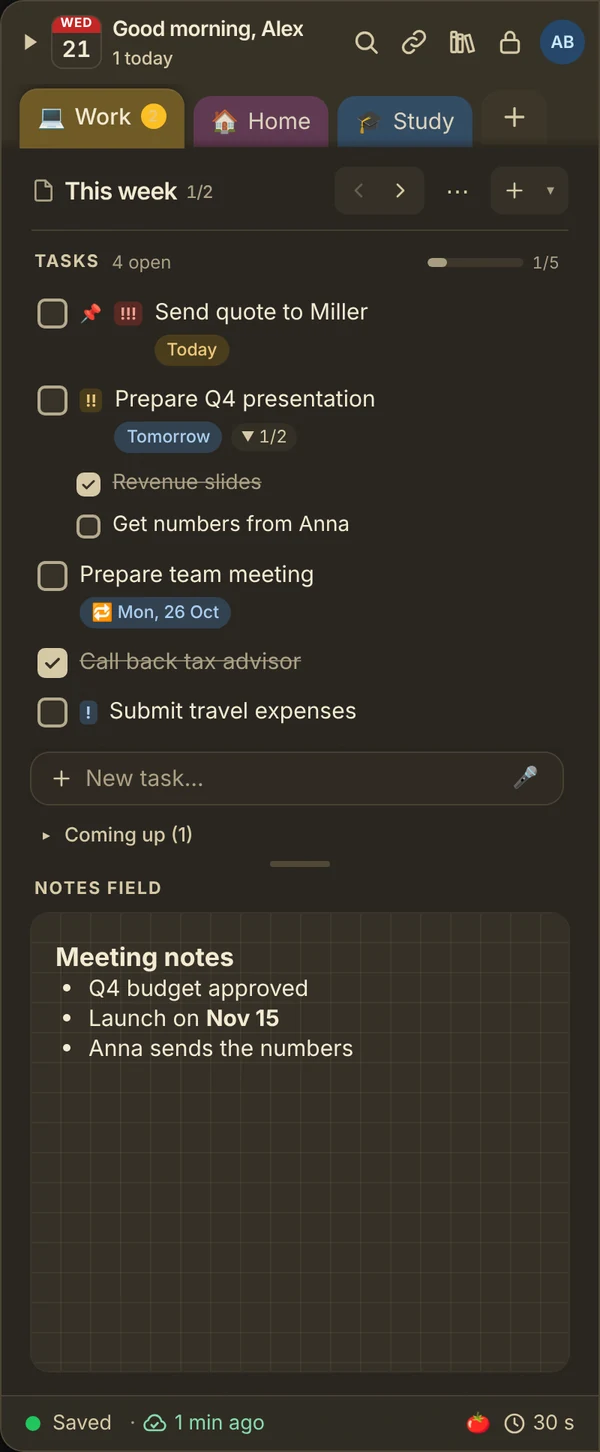

Tasks
Everything with a date gets a color, everything recurring gets a fixed rhythm.
- Due dateToday, tomorrow, next week or a date with time. Overdue items are marked red.Free
- ReminderNotification on your PC, push on your phone. During focus time it waits.Free
- RepeatDaily, weekdays, on chosen weekdays, every 2 weeks, monthly, end of month, yearly or every N days. After you tick it off it waits under “Coming up”.Pro
- SubtasksOne level deep, with progress on the parent task.Free
- Priority and pinningThree levels, pinned items stay on top.Free
- MovingDrag between pages and notes.Free
- Week and month agendaEverything that is due at a glance. The week is free, the month is part of Pro.Partly Pro
- Multi-selectMark several tasks with Ctrl or Shift, then tick off, move or delete them together. With undo.Free
- Calendar exportAdd a date to Outlook, Apple or Google Calendar in one click, with reminder and repeat.Free
- Subtle soundsA soft sound when you tick off a task and for reminders, with volume control or off.Free
Notes and order
Below every to-do list there is room for everything that is not a task. Notes and pages keep work, home and study apart.
- Notes and pagesFree: 2 notes with 3 pages each. With Pro as many as you like.Partly Pro
- TextHeadings, lists, checklists, tables, highlights.Free
- Images and filesPaste with Ctrl+V, enlarge with a click, attachments up to 25 MB.Pro
- Text in imagesRecognise text in photos and screenshots, copy it or turn it into tasks. Runs on your device, and search finds it afterwards. 3 times a month with Pro.Pro
- MentionsInsert contacts and quick-access entries with @.Free
- Quick accessOpen or copy links, numbers, addresses and IBANs in one click. 5 entries for free.Partly Pro
- Copy fieldsShow “University link”, copy the URL with one click. Passwords stay hidden, with a dedicated password note.Pro
- ReferencesSources via DOI, quotes with page, APA references, BibTeX and RIS. MorePro
- Custom templatesSave pages as templates and reuse them.Pro
- SearchAcross all notes. Searching the archive is part of Pro.Free
- HistoryView and restore earlier versions of a note. The last day for free, 30 days with Pro on all devices.Partly Pro
- Archive and trashTidy up instead of deleting. Trash kept for 7 days free, 30 days with Pro, plus the archive.Partly Pro
- Paper styles and night paperKraft paper, clear or sage, plus a dark theme for the evening.Pro
- Stickers and washi tape48 stickers in 8 packs and 14 washi tapes for headings and dividers. The basics pack, kraft paper and stripes are included, more in the points shop. Take a lookFree
On all devices
Windows, macOS, Linux, ChromeOS and as a phone app. What works on the phone is listed further down.
- DockLeft or right, on the monitor of your choice, hides itself.Free
- ShortcutsShow and hide with Alt+N, quick capture with Alt+Shift+N, all customizable.Free
- Large windowTurn the dock into a large window with one click, with sidebar, page overview, tasks and note side by side. All three viewsFree
- Tear-off notesPlace a note as its own note next to your work. One for free, as many as you like with Pro.Partly Pro
- OfflineEverything works offline and syncs later.Free
- SyncVia the encrypted cloud mailbox, no VPN or own server. Up to 3 devices with Pro, 10 with the subscriptiones.Pro
- PairingConnect a new device with a QR code in seconds.Pro
- Phone app and web appInstall straight from the browser, with push reminders and voice input. With a wide layout on tablets and laptops.Pro
- Share notes BetaEdit a note with a second person or share it read-only.Pro
- Read link and sign-up listShare a page as a read-only link or let guests add themselves to a list, no account needed. With password, revocable any time. One new link a month.Pro
Focus and zen garden
Work with focus, and every round grows a tree. The garden can be switched off completely in the settings. See the zen garden
- Focus timerPomodoro with 15, 25, 50 or 90 minutes, mini timer, zen mode and stats. Reminders wait until the break.Pro
- Zen gardenEvery focus round plants a tree, every month a new garden with its season. Share it as an image, portrait or landscape.Pro
- Three tree sizesShort rounds grow small trees, long rounds large ones. 16 trees from bonsai to cedar.Pro
- Seed boxPick a seed before the round or let it surprise you. Which tree it becomes shows at the halfway mark. Pro includes 6 trees.Pro
- Goals and project treesSet a goal for the month and assign rounds to a project.Pro
- Workshop BetaDesign your own trees and suggest them for the shop. If your tree is taken on, you get it for free.Pro
- Lo-fi music BetaSix styles to help you focus, also during breaks. ListenPro
- Points shopTrade points from referrals, starter tasks and the quiz for colours, papers, trees, stickers, washi tapes, check-off effects and sounds, profile frames or lo-fi styles. With surprise packs at a small price. See the points shopFree
Security
Your notes only leave your device encrypted.
- Encrypted syncEnd-to-end with your password. The server only sees gibberish.Pro
- Protected notesLock single notes with a password, PIN, Windows Hello, Touch ID or fingerprint.Pro
- BackupsAutomatic every day. 3 days back for free, 14 days with Pro.Partly Pro
- Your dataExport any time, also for free. No tracking in the app.Free
With the subscription
Pro stays a one-time purchase with every feature. The subscription adds more storage, more room for sharing and things that cause server costs. From €3.49 a month or €29.99 a year, cancel any time.
See pricing- Share moreUp to 10 notes with up to 10 people each. With Pro 1 note with 1 person.Subscription
- More links20 read links and 5 sign-up lists at a time, valid for up to 90 days. With Pro one link a month for 7 days.Subscription
- One year of historyEvery version of a note up to a year back. With Pro 30 days.Subscription
- Cloud backupAn encrypted cloud backup every day, 30 days back. Even if every device is gone.Subscription
- More storage10 GB instead of 2 GB and attachments up to 95 MB instead of 25 MB.Subscription
- Text in imagesRecognise and copy text from photos and screenshots, right on your device. With Pro 3 times a month, unlimited with the subscription.Subscription
- Monthly reviewWhat you got done in the month, how much focus time, which projects grew. By email if you like. With Pro the last two weeks.Subscription
- Mail to JP NoteYour own address to forward mails to. One click turns them into a task or a page. Stored encrypted only, readable only by you.Subscription
- Points every monthFrom the second paid month, 50 points for the points shop.Subscription
- Priority supportYour questions are answered first.Subscription
One JP Note, three views
Small at the edge for a quick thought, large for a long working day, in the browser on the go. Your notes stay the same everywhere.


Small, quick, always there
Press Alt+N to pull the dock from the edge of your screen, jot something down and carry on. It folds away by itself and stays ready above every window.
Shortcut of your choice, left or right, on any monitor.Room for long sessions
One click on maximize turns the dock into a large window. All notes on the left, then the pages of the note, tasks and notes field. Shrink it or close the window and it is back at the edge.
Also switchable in the settings and from the tray icon.No install, on any device
At app.jpnote.de JP Note runs in your browser, on a laptop, tablet or phone. With your account you see the same notes, end-to-end encrypted as everywhere else.
Open the web app With an account, during the trial and with Pro.Lo-fi music to help you focus Beta
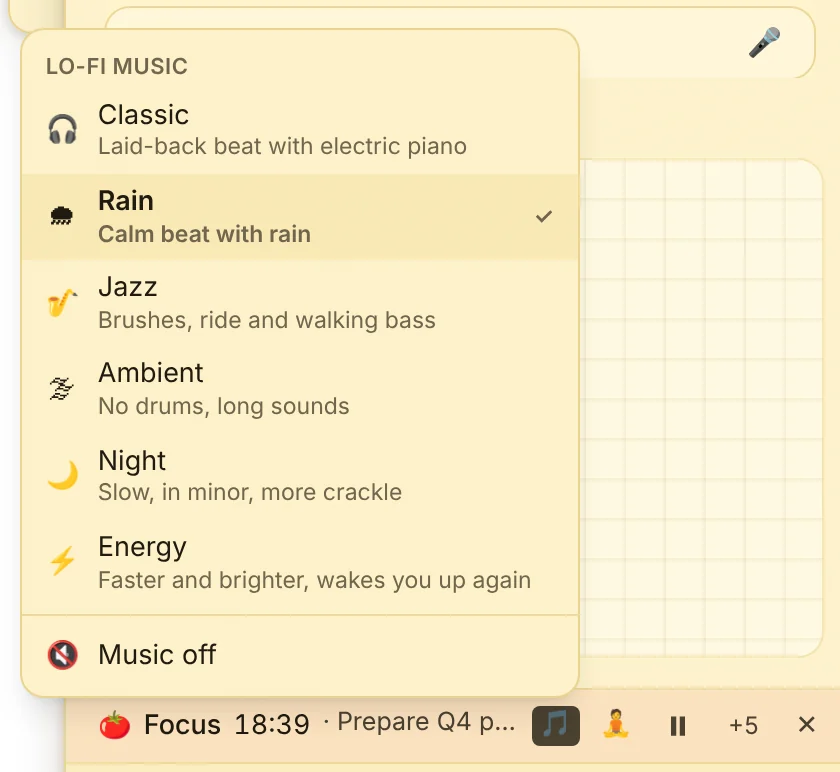
During focus time JP Note can play calm lo-fi music. It is created live in the app: no internet, no ads, no repeating loop. Change style and volume right at the timer, even in the small mini timer. You can pick a separate style for breaks.
The music is new and still in beta. Missing a style, also for breaks, or something does not sound right? Tell us, more music is on the way. Lo-fi is part of the focus timer and therefore of Pro and the trial.

Emails become tasks
You get your own address for JP Note. Forward an email to it and it waits at the top of the dock. One click turns it into a task on the open page or a new page with the full text. Invoices, appointment confirmations and requests end up where you get things done.
- You choose the address: with spam protection it gets 8 random characters, for example [email protected]. Spammers try common names, they will not find this one. Without spam protection you pick it yourself, such as [email protected]. It is easier to remember but also easier to guess. We turn off a custom address in case of abuse.
- Only you can read them: every mail is encrypted with your account key the moment it arrives. Only your app can open it.
- Attachments come along: photos (also HEIC from iPhone), PDFs, text and CSV, contacts and Word, Excel and PowerPoint without macros. We check the file type by its content. Programs, archives and Office with macros stay out for security reasons.
- Invitations become dates: if a calendar invitation is attached, one click turns it into a task with date and time.
- On PC and phone: the inbox shows how many mails are waiting and is the same everywhere.
Good to know: the address can be changed at most once a month, so choose carefully. Turning it off works any time. Up to 100 mails a day and 25 MB per mail, each mail stays in the inbox for 30 days. Replying is not possible, the address is for receiving only.

📅 Invitations become dates
If a calendar invitation is attached, for example from a doctor, a hairdresser or Outlook, JP Note shows the date right away. One click on “As a task with date” creates the task with date, time and place. With a reminder if you like.
- The time always fits: it is converted to your device’s time zone.
- Nothing gets lost: with “As a task” attachments go into the notes field of the same page, with “As new page” onto the new page.
- Checked for safety: anything crossed out was not taken over for security reasons, such as Office files with macros.
Your references always at hand
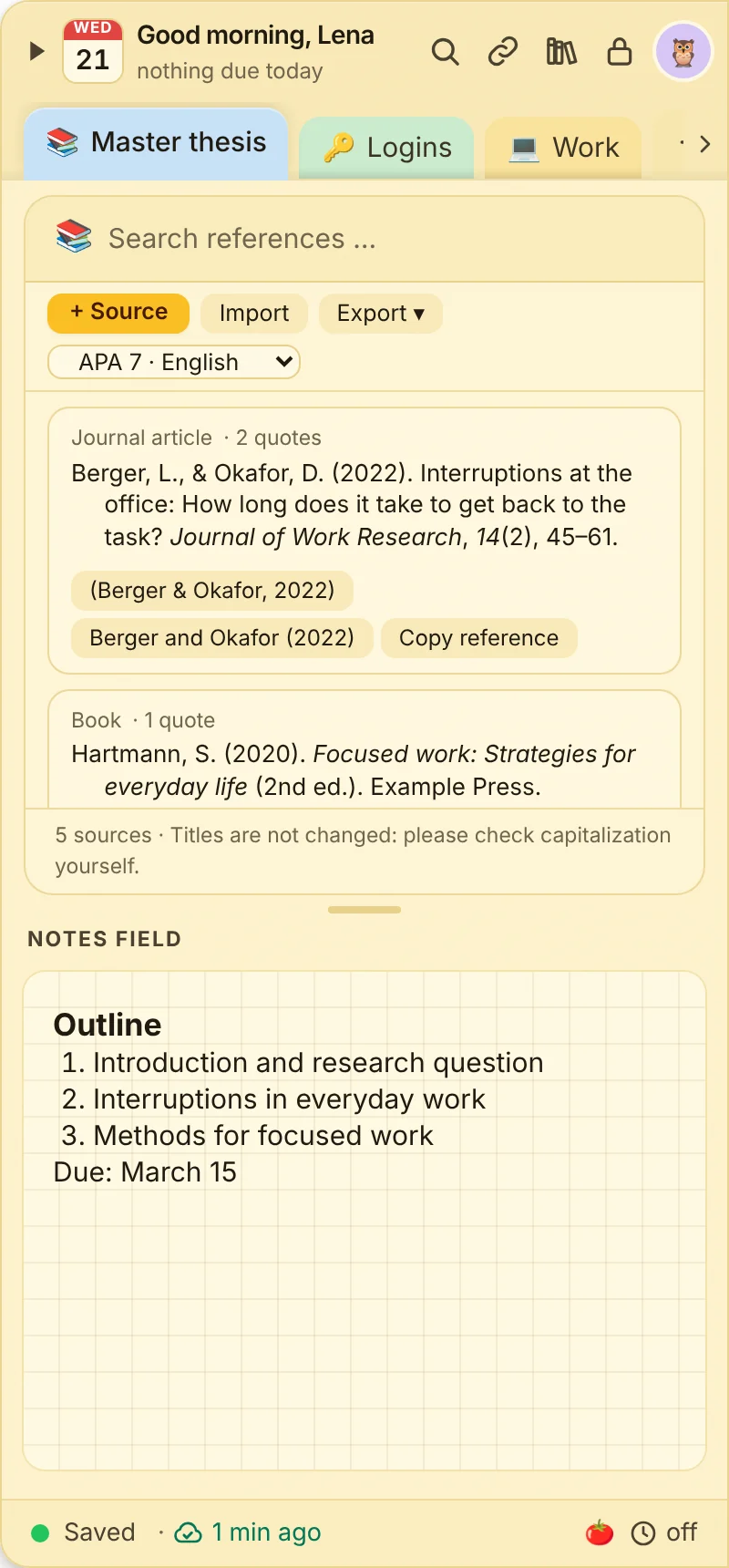
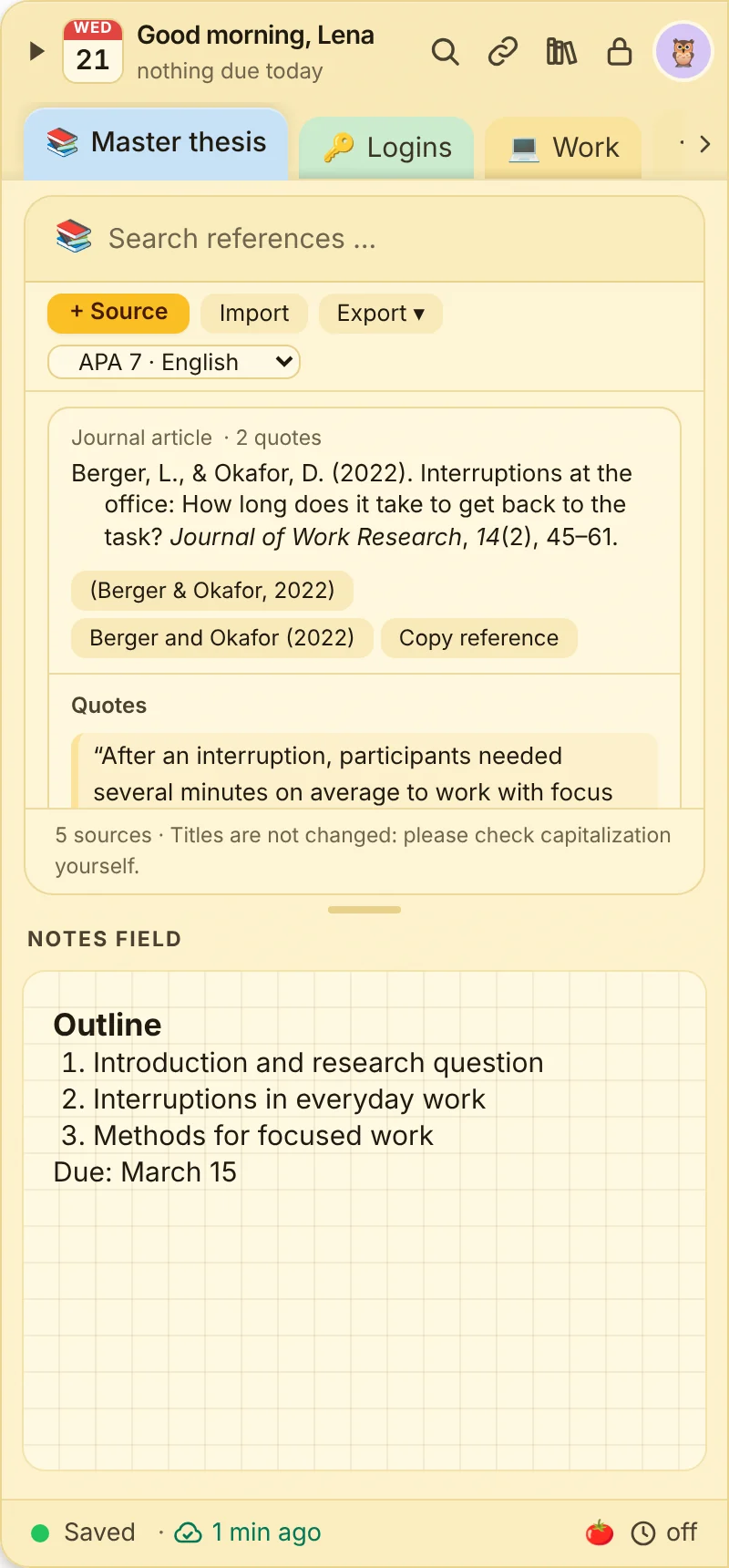
A references note collects the sources for your paper or thesis. Copy quotes with page numbers straight into your document, citation included.
- Enter a DOI and you are done: authors, title, journal and pages are filled in automatically.
- APA style references (7th edition) in German or English, copied with italics for Word and Google Docs.
- Quotes with page and comment, copy as parenthetical or narrative citation, e.g. (Berger & Okafor, 2022, p. 52).
- Import and export as BibTeX (Zotero, LaTeX) and RIS (Citavi, EndNote), full bibliography in one click.
- Gaps are flagged: if something is missing for a complete reference, it says so right at the source.
Good to know: APA is currently the only style. Titles are not rewritten, so check capitalization yourself. On the phone you can read and copy sources, they are created on the computer.
No more passwords on sticky notes
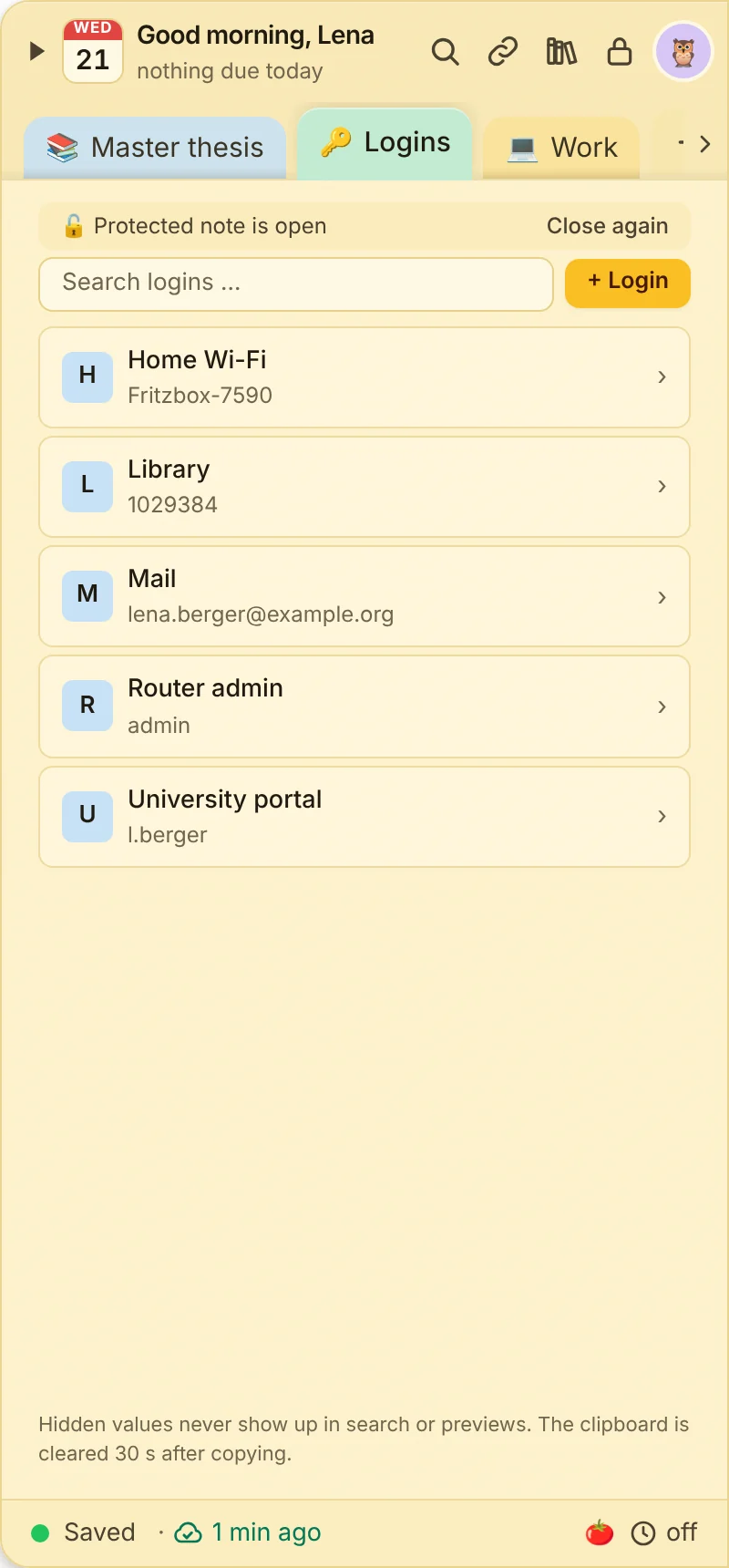
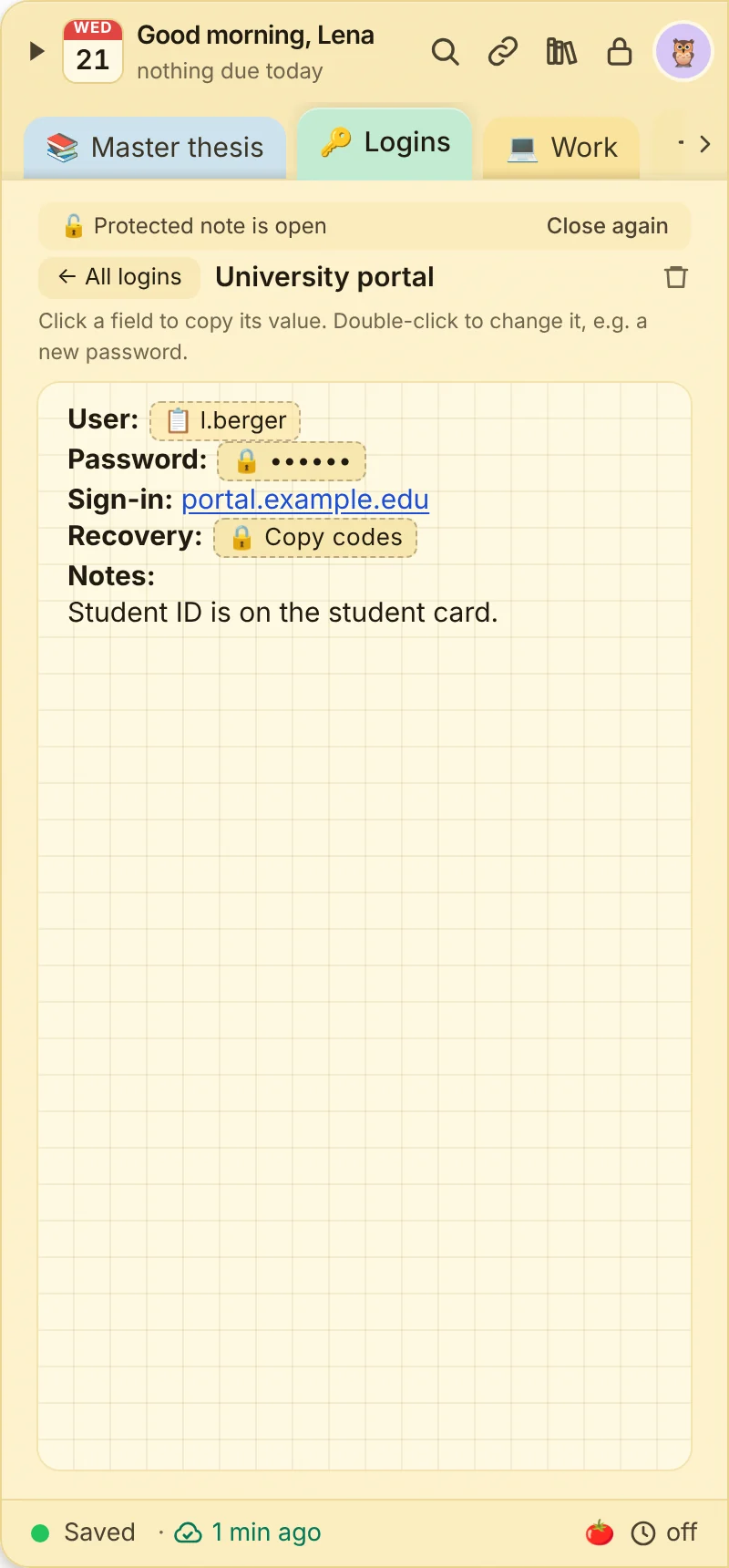
The password note is for the logins that would otherwise end up in a note or on a sticky note: Wi-Fi, library, router, university portal. Every login has copy fields, the password stays hidden.
- One click copies user or password. The clipboard is cleared after 30 seconds.
- Always protected: the note only opens with your password, PIN, Windows Hello, Touch ID or fingerprint.
- Hidden stays hidden: passwords and recovery codes never show up in search or previews.
- Generate strong passwords with 20 characters, right when you create a login.
- End-to-end encrypted when syncing, tap to copy on your phone.
Good to know: JP Note does not fill in login forms in your browser. For a large number of accounts with autofill, a dedicated password manager is still the better choice.
What the phone app can do
The phone app complements the computer: view and edit notes and tasks on the go. The dock at the edge and the shortcuts exist only on the computer. The phone app is part of Pro and the trial.
| Feature | Computer | Phone |
|---|---|---|
| Dock at the screen edge | ✓ | ✕ |
| Shortcuts and quick capture from anywhere | ✓ | ✕ |
| Tear off notes onto the desktop | ✓ | ✕ |
| View and edit notes and tasks | ✓ | ✓ |
| Due date, reminder, repeat, priority | ✓ | ✓ |
| Reminders as notifications | ✓ | as push |
| Search | ✓ | ✓ |
| Quick access (links, numbers, addresses) | ✓ | ✓ |
| Focus timer | ✓ | ✓ |
| Voice input | ✓ | ✓ |
| Images and attachments | ✓ | view |
| Copy fields | ✓ | tap to copy, create on the PC |
| App lock with PIN, Face ID or fingerprint | ✓ | ✓ |
| Manage notes, pages and templates, archive, export | ✓ | on the PC |