The notes app for students
At university, deadlines, lecture notes and sources for papers often pile up at once. JP Note keeps everything at the edge of your screen, reminds you of deadlines and has a reference manager built in.
- ✓ Free
- ✓ No account
- ✓ Windows · Mac · Linux
- ✓ Pro €9.99 once
In short
- One note per course, deadlines with reminders
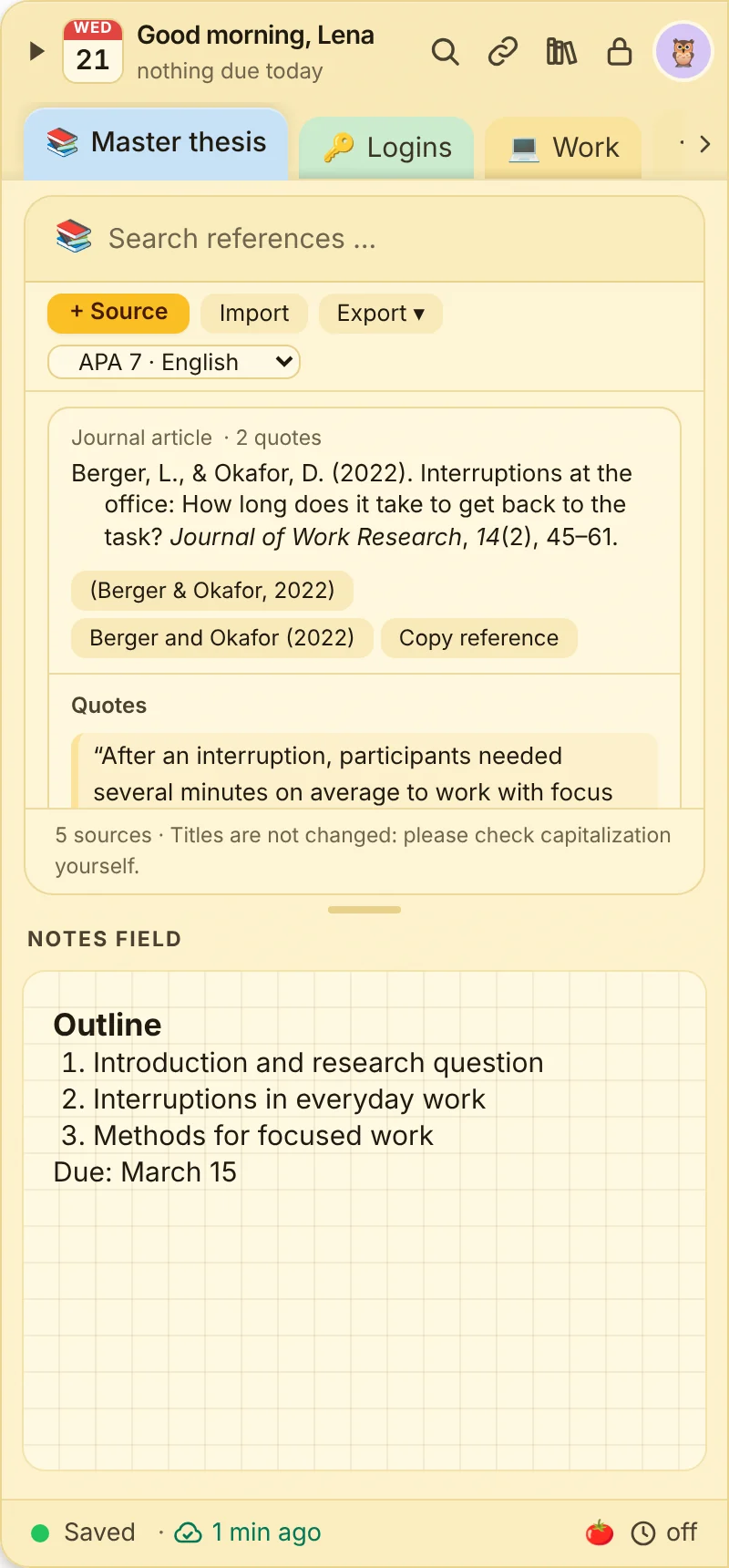
- Sources via DOI, quotes with page, APA references
- Focus timer and phone app on the go
JP Note fits you if
- you want to keep deadlines and exams in view
- you are writing a paper or thesis
- you want to check things on your phone in the library
Loose notes turn into one list
This is what many desktops look like. Press the button and watch JP Note turn it into one list with dates.
Deadlines and assignments
0 of 3 ticked off- One note per courseOr per semester, with pages for lecture, tutorial and exam.
- Deadlines with reminders“Paper due 31 March” becomes a task with a date.
- Week agendaAll deadlines and dates of the week at a glance.
Type a task the way you would say it
JP Note picks up the date, time and repeat and shows them before saving. Try one of the examples or type your own.
Simplified preview. The app understands more, for example “by 31 Oct” or “every 2 weeks”.
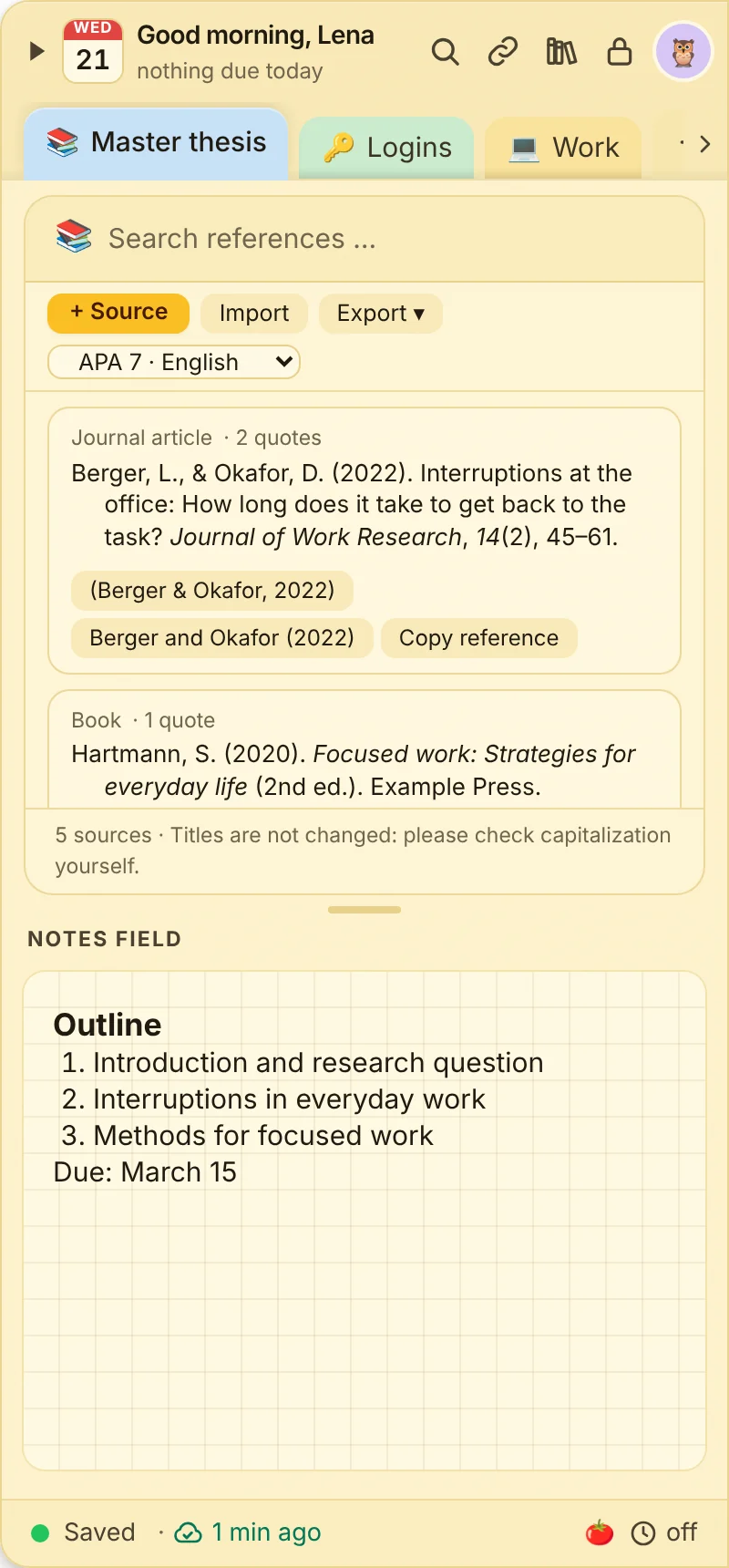
Reference manager (Pro)
0 of 4 ticked off- Add sources via DOI, details are filled in, books and websites can be entered by hand.
- Collect quotes with page numbersRight at the source.
- Copy APA referencesWith one click.
- Export to BibTeX and RISFor Word, Citavi, Zotero or LaTeX.
What this looks like day to day
- Lecture notes in the note for the course
- Source added via DOI, reference ready
- Quote with page copied into the paper
- Reminder: paper due the day after tomorrow

Frequently asked questions
How much does JP Note cost for students?
The free version is free forever. Pro costs a one-time €9.99, less than one month of many subscription apps.
Does JP Note replace Citavi or Zotero?
For papers and smaller projects the built-in reference manager is often enough. For very large libraries, export via BibTeX or RIS to your usual program.
Does JP Note run on a Linux laptop?
Yes. JP Note is available for Windows, macOS, Linux and ChromeOS.