The focus app where every round grows a tree
Many people know focus apps with growing trees from their phone. JP Note brings the idea to the PC, where the work happens. The timer sits in the dock next to your tasks, and every round plants a tree in the garden of the month.
- ✓ Free
- ✓ No account
- ✓ Windows · Mac · Linux
- ✓ Pro €9.99 once

In short
- Pomodoro in the dock, right next to your tasks
- Every round plants a tree, every month a new garden
- Reminders wait until the round is over
JP Note fits you if
- you work on a PC and get distracted easily
- visible progress motivates you
- you are working on a big project like a thesis
Loose notes turn into one list
This is what many desktops look like. Press the button and watch JP Note turn it into one list with dates.
How your garden grows
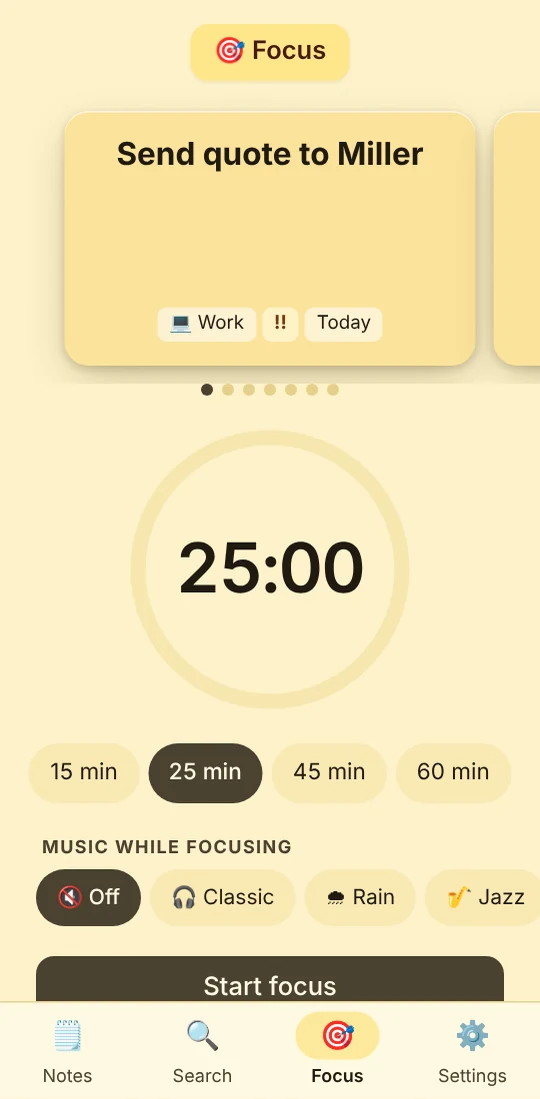
You pick a task and start a round: Pomodoro with 25 minutes, long focus with 50 or a short sprint with 15 minutes. Before that you choose a seed from the seed box or let it surprise you. Which tree it becomes shows at the halfway mark.
The length of the round sets the size. Under 20 minutes a small tree grows, up to 45 minutes a medium one, beyond that a large one. Every month a new garden starts with 60 spots, and every plant adds something, from stepping stones to lantern and bridge to the tea house.
Type a task the way you would say it
JP Note picks up the date, time and repeat and shows them before saving. Try one of the examples or type your own.
Simplified preview. The app understands more, for example “by 31 Oct” or “every 2 weeks”.
What makes the timer better on a PC
0 of 6 ticked off- Next to your tasks“Focus on this task” starts the round right from the list, afterwards you tick it off.
- Do not disturbReminders wait until after the round.
- Mini timer at the edgeWhen the dock is collapsed, the time keeps running at the screen edge.
- Zen modeDuring the round you only see the current page.
- Goals and project treesA daily goal, a weekly goal or a project tree for your thesis.
- Continue on your phoneThe garden syncs via your account.
How to start
- 1Download JP Note and try Pro free for 7 days.
- 2Click 🍅 at the bottom right of the dock and choose a duration.
- 3Pick a seed in the seed box or let it surprise you.
- 4After the round the tree moves into your garden. Sharing turns it into an image.
What this looks like day to day
- Pomodoro on “Write chapter 2”, a maple grows
- Break, two reminders arrive now
- 50 minutes of focus, a large tree for the project tree
- Garden sent to friends as an image

Frequently asked questions
Does the zen garden run on Mac and Linux too?
Yes. JP Note is available for Windows, macOS, Linux and ChromeOS. With Pro also as a phone app, where the same garden grows.
What happens if I stop a round early?
After at least one minute a small stone stays in the garden. It does not count as a completed round.
How many trees are there?
16 in total, from bonsai to cedar. With Pro six are in your seed box, all others are in the points shop.
Does the zen garden cost extra?
No. The focus timer and zen garden are part of Pro, €9.99 once. You trade further trees for points, which you get for referrals, for example.